Repair

Single User

  1. Place the latest TLOL Suite™ 3.0 media in the DVD drive.

  2. Open drive containing TLOL Suite™ 3.0 DVD media.

  3. Double ⇖ click on “Setup.exe” (may also appear as Install_32x32.bmp SETUP)

    1. Windows™ XP users, refer to step 4.   .

    2. Windows™ 7 and Windows™ 8 users, skip to step 5.   .

  4. For Windows™ XP users only,

    1. If you do not have Administrator rights, SETUP will prompt you to enter password. Enter the administrator password, ⇖ click Ok and proceed to step 6.   .

    2. If the SETUP does not prompt for administrator password, pro­ceed to step 6.   .

  5. For Windows™ 7 and Windows™ 8 users only,

    1. If the SETUP prompts for administrator password, enter the password, ⇖ click Ok and proceed to step c.   .

    2. If the SETUP does not prompt for administrator password, pro­ceed to step c.   .

    3. A User Account Control (UAC) window will appear. ⇖ Click Yes to continue.

  6. Wait for TLOL Suite 3.0 window to appear.

  7. In the window that appears, ⇖ click on the ⌼ radio button against the option Repair TLOL Suite 3.0.
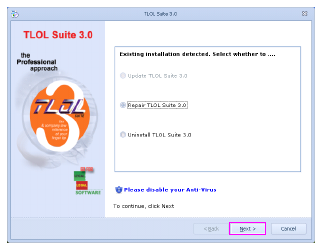
    Repair_01.bmp

  8. ⇖ Click Next to continue.

  9. You will find three types of repair options.

    1. Complete Repair: For rectifying application and database prob­lems.

    2. Application Repair: For rectifying application problems. Before selecting this option, kindly refer to FAQ No:19

    3. Database Repair: For rectifying database problems. Before selecting this option, kindly refer to FAQ No:19

    ⇖ Click on the ⌼ radio button against the required repair type.
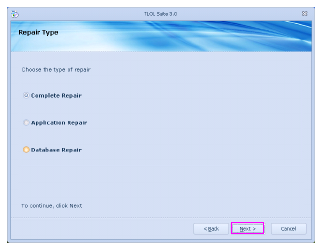
    Repair_02.bmp

  10. ⇖ Click Next to start the repair process.

  11. Please wait till the files are copied.
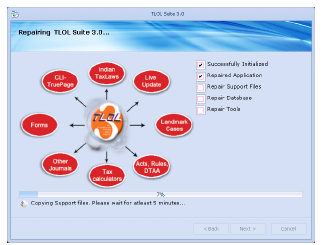
    Repair_03.bmp

  12. Once the process is completed, ⇖ click Next to continue.
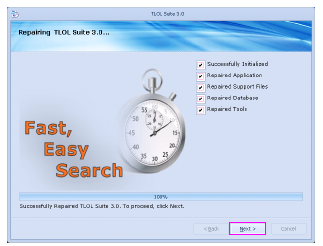
    Repair_04.bmp

  13. A screen displaying the message “Recovery process completed. Please continue to run TLOL Suite 3.0” will appear.

  14. ⇖ Click on Finish to complete repair process.
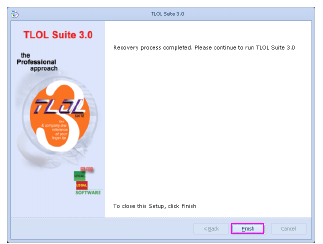
    Repair_05.bmp

Multi-user

Multi-user Server

This is applicable only for the Multi-user version of TLOL Suite™ 3.0. Please ensure you are running the repair process only on the system containing server installation.

  1. Follow steps 1.    to 8.    under Single User in  “Repair”.

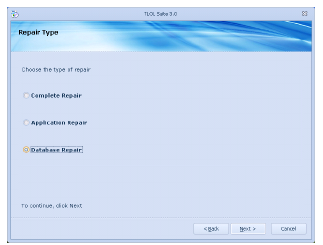
  2. In step 9.   , ⇖ click on the ⌼ radio button against the option Database repair, which is the only permissible option.

    Multi_user_DB.bmp

  3. Follow steps 10.    to 14.    given under Single User in “Repair”.

Multi-user Node

Please ensure you are running the repair process only on the system con­taining node installation.

  1. Follow steps 1.    to 8.    under Single User in  “Repair” .

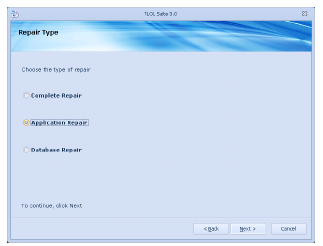
  2. In step 9.   , ⇖ click on the ⌼ radio button against the option Application repair, which is the only permissible option.

    Multi_user_node_APP.bmp

  3. Follow steps 10.    to 14.    given under Single User in “Repair”.