Update

Single User

  1. Place the latest TLOL Suite™ 3.0 media in the DVD drive.

  2. You can update latest data by following either steps a.    and b.    or steps c.    to e.    given below.

    1. Double ⇖ click the shortcut icon TLOLS3.bmp on the desktop.

    2. Proceed to step 2.   .

    3. or

    4. Open drive containing TLOL Suite™ 3.0 DVD media.

    5. Double ⇖ click on “Setup.exe” (may also appear as Install_32x32.bmp SETUP). Administrator privileges are not required.

    6. Proceed to step 2.   .

  3. A TLOL Suite 3.0 window will appear.

  4. ⇖ Click on the ⌼ radio button against the option Update TLOL Suite 3.0.
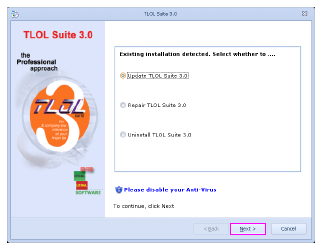
    Update01.bmp

  5. ⇖ Click Next to start the update process.

  6. A screen displaying a message “Updating TLOL Suite 3.0” will appear. Please wait till the update is completed.
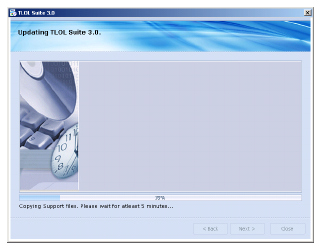
    Update02.bmp

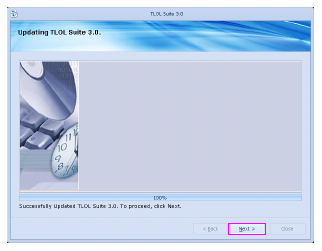
  7. Once the process is completed, the following message will be dis­played: “Successfully Updated TLOL Suite 3.0”. ⇖ Click Next to pro­ceed.

    Update03.bmp

  8. A screen displaying a message “Updation was completed. Please con­tinue to run TLOL Suite 3.0” will appear.
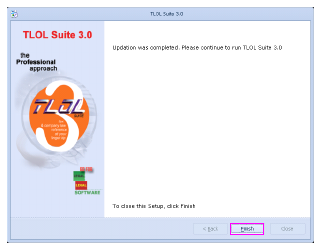
    Update04.bmp


  9. ⇖ Click Finish to complete the update process.

Multi-user

Multi-user server

This is applicable only for the Multi-user version of TLOL Suite™ 3.0. Please ensure you are running the update process only on the system containing server installation.

  1. Follow steps 1.    to 8.    given under Single User in “Update”.

Multi-user Node

Data updates are not required on the nodes.

  1. Follow the steps given under Single User, except step 5.   , in  “Update”.